ListView
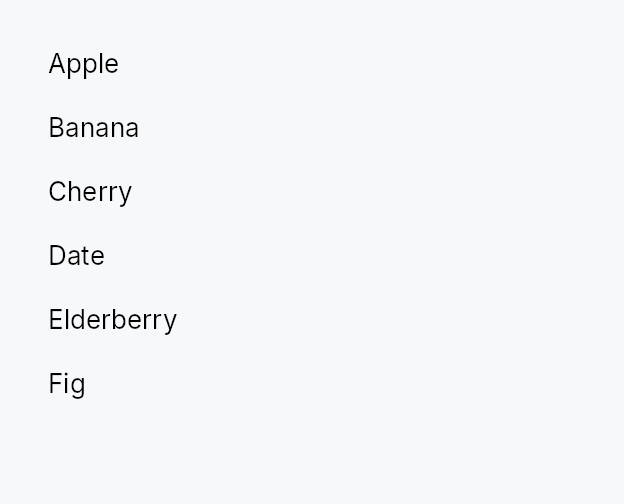
ListView — a virtualized, scrollable list backed by a reactive data model.
ListView<T> materializes widget subtrees only for the rows currently
visible in its viewport (plus a configurable buffer). Scrolling and model
changes trigger a localized rebuild that touches only the newly-visible
slice, leaving the rest of the tree untouched. The data source is a
ListModel<T> (in-memory, reactive) or any ListDataSource<Item = T>
(lazy / external). A delegate closure (index, &T, selected) -> Box<dyn Widget>
produces each row widget on demand.
Row heights come in three modes: uniform (item_height, the 32 dp
default and fastest path), exact callback (item_height_fn — pure,
deterministic per-row sizes), and auto-measured (auto_item_height —
height-for-width measurement with scroll anchoring so content above the
viewport stays put while estimates converge).
When to use
- Large or dynamically-loaded lists (thousands of rows) — use
ListView. - Small, always-all-visible collections — use
Repeaterinstead. - Hierarchical data — use
TreeView. - Multi-column tabular data — use
TableView.
Accessibility
The widget is Role::List; each row is wrapped in Role::ListItem with
set_selected state. Full keyboard navigation: arrows, Home, End, PageUp,
PageDown, Space (select/toggle), Enter (activate), Ctrl+A (select all),
Shift+Arrow (range), type-ahead (opt-in via type_ahead_label).
#![allow(unused)]
fn main() {
use teksilo_widgets::ListView;
use teksilo_widgets::primitives::TextWidget;
use teksilo_data::{ListModel, SelectionMode, SelectionModel};
use teksilo_i18n::lit;
struct Item { name: String }
let model: ListModel<Item> = ListModel::from_vec(vec![Item { name: "Alpha".into() }]);
let sel = SelectionModel::new(SelectionMode::Single);
let _w = ListView::new(model, |_i, item, _selected| {
    Box::new(TextWidget::new(lit!(&item.name)))
})
.item_height(32.0)
.selection(sel);
}
Builder methods at a glance
from_source, from_source_keyed, enabled, overscroll_behavior, smooth_scrolling, smooth_scroll_duration, scroll_bar_style, item_height, item_height_fn, auto_item_height, spacing, selection, realized_row_ids, reorderable, exportable, export_external, on_rows_transferred_out, accept_foreign_rows, on_rows_received, on_activate, activate_on, row_tooltip_sticky, row_tooltip, row_rich_tooltip, row_composite_tooltip, type_ahead_label, type_ahead_timeout, show_scrollbar, scroll_y_signal, max_scroll_y_signal, viewport_ratio_y_signal, scroll_to_index, ensure_index_visible
API reference
📖 Full rustdoc API for this module
pub struct ListView
A virtualized scrollable list backed by a ListModel<T> or ListDataSource.
See the module-level documentation for the full feature overview.
#![allow(unused)]
fn main() {
pub struct ListView<T: 'static> { /* fields */ }
}
Methods
pub fn new( model: ListModel<T>, delegate: impl Fn(usize, &T, bool) -> Box<dyn Widget> + 'static, ) -> Self
Create a new ListView backed by a ListModel<T>.
The delegate closure receives (index, &item, selected) and returns
a boxed widget for that item.
pub fn from_source<S: teksilo_data::ListDataSource<Item = T>>( source: S, delegate: impl Fn(usize, &T, bool) -> Box<dyn Widget> + 'static, ) -> Self
Create a ListView backed by a custom ListDataSource.
Use this for large or external datasets that cannot fit in memory.
The source must implement ListDataSource<Item = T>.
pub fn from_source_keyed<S: teksilo_data::ListDataSource<Item = T>>( source: S, keyed: KeyedSelectionModel<S::Key>, delegate: impl Fn(usize, &T, bool) -> Box<dyn Widget> + 'static, ) -> Self where S::Key: ItemKey,
Create a ListView backed by a custom ListDataSource with keyed
selection. The KeyedSelectionModel<S::Key> tracks selection by source
identity, so it survives reorders, filters, lazy window-slides, and
stays consistent across two views of the same source. The view stays
key-less (ListView<T>) — the index↔key mapping is captured from the
concrete source here. Mutually exclusive with
selection (the last one set wins).
pub fn enabled(mut self, enabled: impl Into<Prop<bool>>) -> Self
Enable or disable the whole view. A disabled view greys out and stops accepting focus / selection / keyboard input (arena-gated).
pub fn overscroll_behavior(mut self, behavior: OverscrollBehavior) -> Self
Set the scroll-chaining behavior at the boundary (default
OverscrollBehavior::Chain; Contain
disables chaining to an ancestor scrollable).
pub fn smooth_scrolling(mut self, enabled: bool) -> Self
Enable or disable animated wheel scrolling (enabled by default).
pub fn smooth_scroll_duration(mut self, duration: Duration) -> Self
Duration of the smooth scroll animation (default 150 ms).
pub fn scroll_bar_style(mut self, style: ScrollBarMode) -> Self
How the scroll bar is displayed (default Permanent). Overlay
and Thin float the bar over the content instead of reserving a
layout column, mirroring ScrollArea::scroll_bar_style.
pub fn item_height(mut self, height: f32) -> Self
Set the fixed height per item (default 32.0) — the uniform fast
path. Mutually exclusive with item_height_fn
and auto_item_height; the last mode
setter wins.
pub fn item_height_fn(mut self, f: impl Fn(usize) -> f32 + 'static) -> Self
Per-item heights from a callback. The callback must be pure (same index + same data → same height); it is re-swept from the first changed index on every model change. No measurement pass runs — this is the deterministic variable-height path.
pub fn auto_item_height(mut self, estimated: f32) -> Self
Auto-measured item heights: each realized row is measured at the
list's content width (height-for-width), unrealized rows assume
estimated. Scroll anchoring keeps content above the viewport
stationary as estimates are corrected. estimated should be a
typical row height — a wrong estimate only costs realization
churn while measurements settle, never incorrect layout.
pub fn spacing(mut self, spacing: f32) -> Self
Set spacing between items (default 0.0).
pub fn selection(mut self, sel: SelectionModel) -> Self
Set the index-based selection model (positions). For identity-based
selection that survives reorder / filter / window-slide, build the view
with from_source_keyed instead.
pub fn realized_row_ids(&self) -> Rc<RefCell<Vec<(usize, WidgetId)>>>
A shared handle to the live (model index → row node id) map of the
realized rows, rewritten at the end of every build.
The id is the row's Role::ListItem wrapper — the node an
active_descendant has to point at. Take the handle before moving the
view into the tree; it is populated on the first build.
This exists for the ARIA combobox / listbox pattern, where keyboard
focus stays on a text field while the arrow keys move a highlight
through this list (a command palette, a type-ahead picker). The field's
AT node publishes active_descendant pointing here, so a screen reader
announces each row as the highlight moves without focus ever leaving
the input. A ListView that holds focus itself does not need this.
Only realized rows are present — a row scrolled outside the
virtualization window has no widget, so look-ups for it return None.
Callers should scroll_to_index the row they intend to announce.
pub fn reorderable(mut self, enabled: bool) -> Self
Enable intra-widget drag reordering.
When enabled, rows can be dragged within this ListView to reorder them.
The move is routed through the source's accept_drop — a ListModel
reorders in place, an external source routes the move to its store. The
hover indicator reflects the source's can_accept verdict, so a
forbidden drop shows no insertion line. Keyboard equivalent:
Alt+ArrowUp/Down.
pub fn exportable(mut self, mode: DragTransferMode) -> Self where T: Clone,
Make rows droppable outside this view — on a
DropTarget, another data view, or the OS.
A dragged row (or the whole selection, when the pressed row is part of a
multi-selection) carries clones of its items in a public
RowDragData<T>, so a foreign receiver can pull
them out with payload.get_typed::<RowDragData<T>>() /
DropTarget::on_drop_typed::<RowDragData<T>>() — no serialization. This
also makes rows a drag source even without reorderable.
mode chooses what happens to the origin rows once a foreign target
accepts them: DragTransferMode::Move removes them (via the source's
on_drag_out, or on_rows_transferred_out),
DragTransferMode::Copy leaves them. A same-view reorder is never a
transfer, so mode never affects it. Requires T: Clone.
Move caveats. The row is removed only when the drop is accepted by an
in-app target in the same window (DropOutcome::InApp { accepted: true })
or the OS reports a genuine move. Shipped OS backends advertise copy
only, so a drag exported to another application — or to another window
of the same app — is treated as a copy: the origin row is kept and the
receiver must own its own copy semantics. Also, for a ListModel-backed
view (whose key is the row index) the move-out removes by the indices
captured at drag-start; if a shared handle to the same model is mutated
while the drag is in flight, those indices can point at different rows —
use a keyed source, or on_rows_transferred_out
with your own stable identity, for models that change mid-drag.
pub fn export_external(mut self, f: impl Fn(&[T]) -> Vec<(String, Vec<u8>)> + 'static) -> Self where T: Clone,
Additionally advertise the dragged rows as MIME data so they can be
dropped on a DropZone or exported to another
application / window via the OS. f maps the dragged items to
(mime_type, bytes) pairs (e.g. text/plain, text/uri-list, an
app-specific application/x-…). Implies exportable
(defaulting to DragTransferMode::Move if not already set). Requires
T: Clone.
pub fn on_rows_transferred_out( mut self, f: impl Fn(&[usize], &mut teksilo_core::widget::EventContext) + 'static, ) -> Self
Override how rows moved out to a foreign target are removed from this
view. Receives the dragged rows' indices (descending-safe) and the live
context. Without this, an exportable
Move drag removes them through the source's
on_drag_out (works out of the box for a ListModel).
pub fn accept_foreign_rows(mut self, accept: bool) -> Self
Accept exported rows dropped from a different view or source without
writing a custom ListDataSource. Pair with
on_rows_received, which is handed the dropped
items and the insertion index. (Same-view reorder is
reorderable; a custom ListDataSource can still
accept foreign drops through its can_accept/accept_drop instead.)
pub fn on_rows_received( mut self, f: impl Fn(Vec<T>, usize, &mut teksilo_core::widget::EventContext) + 'static, ) -> Self
Handler for rows accepted via accept_foreign_rows:
(items, insertion_index, ctx). Insert them into your model at the
index.
pub fn on_activate( mut self, f: impl Fn(usize, &mut teksilo_core::widget::EventContext) + 'static, ) -> Self
Set the row-activation handler — invoked with the flat row index and
the live EventContext on a click
(per activate_on) or Enter on the focused row.
The context lets the handler open a modal, toast, or dispatch an intent —
matching TableView::on_row_activate
/ GridView::on_tile_activate.
Distinct from selection: arrow-key navigation and Space move /
toggle the selection but do not activate.
pub fn activate_on(mut self, mode: crate::data_views::ActivateOn) -> Self
Choose single- vs double-click activation (default
ActivateOn::DoubleClick). Enter activates in
either mode.
pub fn row_tooltip_sticky(mut self, on: bool) -> Self
Enable type-ahead ("type to jump"): with this set, typing a
printable character while the list has keyboard focus jumps the
selection to the next row whose label starts with the accumulated
search term, wrapping around (Qt keyboardSearch / macOS &
Windows type-select). label(&item) yields the searchable text for
a row; matching is ASCII-case-insensitive. A pause longer than the
type_ahead_timeout starts a fresh term.
Whether a composite row tooltip offers dwell-to-sticky promotion.
Default true.
Turn it off for a read-only row card: with nothing to reach into there is nothing to pin, so the countdown indicator would promise an interaction that does not exist and the surface would outlive the pointer for no reason.
pub fn row_tooltip( mut self, f: impl Fn(usize, &T) -> Option<teksilo_i18n::LocalizedString> + 'static, ) -> Self
Per-row plain tooltip: one line of text for the row under the pointer.
The resolver receives the row's flat index and its item; returning
None leaves that row without a tip. Mutually exclusive with
row_rich_tooltip and
row_composite_tooltip — last setter
wins, matching the per-widget tooltip matrix.
Opens to the row's trailing side, never below it: rows stack vertically, so a tip below would cover the next row.
pub fn row_rich_tooltip( mut self, f: impl Fn(usize, &T) -> Option<crate::tooltip::RichTooltipSource> + 'static, ) -> Self
Per-row rich tooltip — a registry key or inline
TooltipContent. See
row_tooltip for the shared semantics.
pub fn row_composite_tooltip( mut self, f: impl Fn(usize, &T) -> Option<Box<dyn Widget>> + 'static, ) -> Self
Per-row composite tooltip — an arbitrary widget tree describing the row.
The body is built for every realized row (the virtualization window)
and rebuilt with it, so keep the resolver cheap and defer anything
costly to the body's own first paint, which only runs if the tip is
actually shown. See row_tooltip for the rest.
pub fn type_ahead_label(mut self, label: impl Fn(&T) -> String + 'static) -> Self
pub fn type_ahead_timeout(mut self, timeout: Duration) -> Self
Reset window between keystrokes before the type-ahead search term clears (default 500 ms). A zero duration disables type-ahead.
pub fn show_scrollbar(mut self, show: bool) -> Self
Suppress the internal scroll bar. Use when the caller wants to
mount its own ScrollBar outside the ListView (keeping it alive
across rebuilds so a thumb drag isn't torn down when the visible
range shifts past the buffer). The caller is expected to wire
the external bar up to the signals returned by
scroll_y_signal,
max_scroll_y_signal and
viewport_ratio_y_signal.
pub fn scroll_y_signal(&self) -> &Signal<f32>
The current vertical scroll offset, in logical pixels. Drives the
viewport position and the scroll bar thumb. Exposed so external
logic (e.g. a parent widget implementing custom scroll-into-view)
can read or drive the scroll directly — prefer
scroll_to_index /
ensure_index_visible when possible.
pub fn max_scroll_y_signal(&self) -> &Signal<f32>
The maximum scroll offset, content_height - viewport_height.
Updated during layout. Exposed for callers that mount their own
external scrollbar via show_scrollbar(false).
pub fn viewport_ratio_y_signal(&self) -> &Signal<f32>
The vertical viewport-to-content ratio (0.0..1.0). Drives the thumb size on any external scrollbar.
pub fn scroll_to_index(&self, index: usize)
Scroll so the given model index is aligned to the top of the viewport. Clamped to the valid scroll range. Safe to call before the ListView has been laid out — the clamp will kick in on the first layout pass.
pub fn ensure_index_visible(&self, index: usize)
Scroll the minimum distance needed to bring the given model index fully into the viewport. No-op if already visible.